Should You Put Your Phone Number on Your Resume? How to Stay Reachable Without the Spam
Yes, include a phone number. Here is which number to use, how to hide it on Indeed and LinkedIn, and how to spot job scam calls and texts.
Yes, put a phone number on your resume. In general, employers want a way to call you, and phone screens often start with a call. Use a number you control for job hunting, keep it off public or searchable profiles, and share it only when you apply to a specific employer.
This matters now. The FTC says reported job scams grew to over 105,000 in 2024, nearly three times the 2020 figure, with reported losses of over $513 million (FTC, Sept 2025). Once your number sits in a recruiter's system, assume it is hard to pull back. This guide covers your resume (or CV, for Canadian and academic readers) in the US and Canada.
Do recruiters still need a phone number on your resume?
Yes. Phone screens and interview scheduling often start with a call, and leaving the number off can cost you that call. Do not use a fake or placeholder number, because it sends a real recruiter's call to a stranger.
Keep the format simple: one number, with area code, in the header next to your name, your city and state or province, and your email.
Where does your number actually go when you apply?
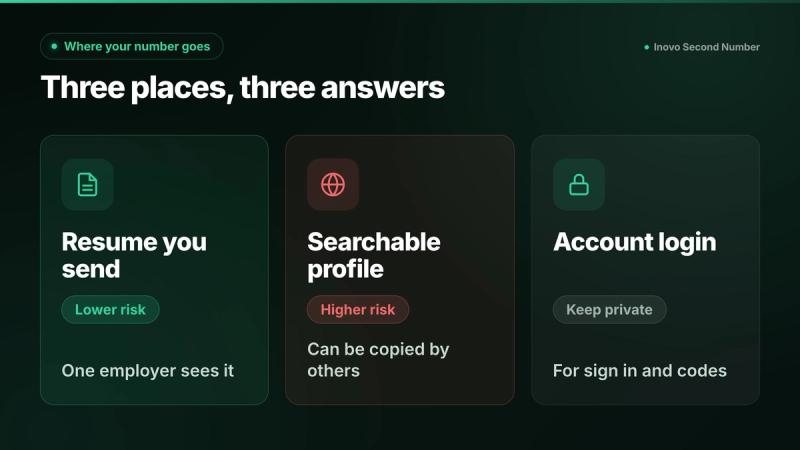
To three different places, and each needs its own answer:
- The resume you send. One employer sees it. This is the safest of the three.
- A searchable profile. Public or searchable job board profiles are where numbers spread.
- Your account login number. It is for signing in and codes, and it does not have to match your resume.
When you apply for a job on Indeed, employers can only access the number on your resume, which may differ from the one linked to your Indeed account. That is the key line: you can keep your main number on the account and put your job search number on the resume.
How do you keep your number private on Indeed?
These settings come from Indeed's own help pages, as of 27 Oct 2026. Names can change, so check the page.
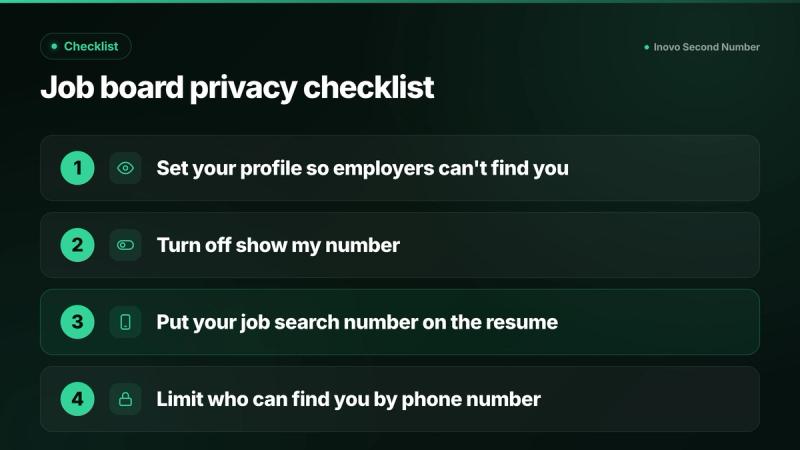
- Choose "Employers can't find you." Per Indeed's profile settings page, that is the default. With it, your profile is not searchable, employers can't contact you unless you've applied, and details like contact info, resume file and work history are not accessible. With "Employers can find you," employers may contact you through Indeed's messaging system.
- Know that public copies stay public. Indeed's privacy FAQ says that when your profile is set to "Employers can find you," search engines and other third parties can copy it. Switching back to "Employers can't find you" will not affect those copies. It also does not affect earlier applications.
- Turn off Show my number on Indeed. Per Indeed's contact info page, selecting it lets Indeed and employers on Indeed call and text you. Indeed says your number is otherwise only provided to employers you apply or respond to.
- Put your job search number on the resume. Indeed warns that employers who got your resume before you changed your settings may still have access to its details, so decide before you apply.
Who can see your phone number on LinkedIn?
Only your 1st-degree connections, and only if you add a number. LinkedIn says contact information in the Contact Info section is visible only to your 1st-degree connections. Your number won't appear on your profile unless you add it there, though it may be used to suggest you to people who upload their address book.
To limit that, go to the Me icon, Settings & Privacy, Visibility, then "Visibility of your profile & network," and open "Discoverability by phone number." LinkedIn's visibility page lists options from 1st-degree connections up to Anyone, and Nobody (options may vary). Even then, others using permitted services off LinkedIn can still find your profile by your name and organization.
Why do you get spam calls and texts after applying for jobs?
One way numbers spread is through searchable profiles, which Indeed's own privacy FAQ says can be copied by third parties. Separately, scammers text job offers. The FTC says scam texts use phony job opportunities, and the Canadian Anti-Fraud Centre says fraudsters contact people by text, email or chat app after they share a resume and contact details on job recruitment websites.
A separate job search number means those calls and texts land on that line instead of your main one. It does not stop scams, so the red flags below still apply.
How do you tell a real recruiter from a job scam?
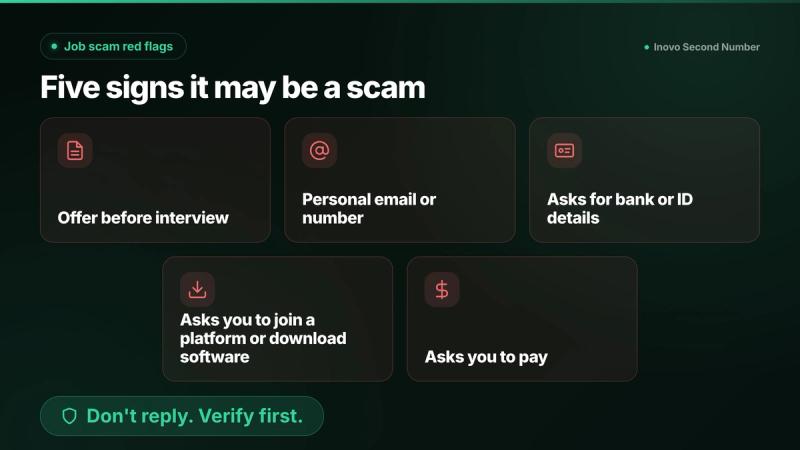
Look for these red flags, from the FTC and the Canadian Anti-Fraud Centre:
- An offer before an interview. The FTC says scammers move fast and send an official-looking offer and paperwork before you interview. The Canadian Anti-Fraud Centre lists an offer you did not apply for.
- A personal email or number. The FTC's job scam alert says recruiters generally email from a corporate account, not a personal one like @gmail.com.
- Requests for bank or ID details. Scammers ask for a driver's license, Social Security or bank account number to fill out "paperwork." Real employers won't before they have interviewed and hired you.
- A platform, software or task job. The Canadian Anti-Fraud Centre warns about being asked to join a platform, download software, or do simple tasks for fast money.
- Any request to pay. Never send deposits or pay fees for a job.
What to do: don't reply to unexpected texts or click links, and forward scam texts to 7726 (SPAM). Search the recruiter's name and company with words like "scam" or "complaint," and contact the company using a phone number or website you know is real. In the US, report at ReportFraud.ftc.gov. In Canada, report to your local police and the Report Cybercrime and Fraud website, or call 1-888-495-8501.
Should you use a second number for job applications?
Yes, if you apply widely. It lets you keep your main number off your resume and job boards, but it is not anonymous: see who can trace a second number, and who can't.
Your job search number has to do four things well:
- Ring reliably for interviews, and answer every call as if it is the interview.
- Take a professional voicemail greeting.
- Receive texts and verification codes from most services, not all. If a site refuses it, see why a website won't accept a VoIP number.
- Stay active through your search and after it.
Keep it after you are hired. Recruiters may keep your number on file, and the same line works for future searches and side work.
Inovo Second Number gives you a real US or Canadian number on the iPhone or Android phone you already have, with calls and texts in one app. Verification codes arrive from most services, not all. Numbers are tied to active accounts. If a number expires due to inactivity, it is released and cannot be recovered, so keep your account active. See the FAQ for details. Prices: see in app.
For setup, read how to get a second phone number without a SIM or how to get a second phone number in 2026. If you are leaving a job, read how to keep your work phone number when you leave. If you freelance, see how to get a business line without a second phone.
What else should you leave off your resume?
Leave off your full street address, because city and state or province is enough. Skip your SSN or SIN and your date of birth. Use a separate email for your job search too.
FAQ
Should I put my phone number on my resume?
Yes. In general, employers want a way to call you, and phone screens often start with a call. Use a number you control and share it only with employers you apply to.
Is it safe to put my phone number on Indeed?
It is safer with your profile set to "Employers can't find you." Indeed says profiles set to "Employers can find you" can be copied by search engines and other third parties, and changing the setting later does not affect those copies.
Why am I getting spam calls after applying for jobs?
Searchable profiles can be copied by third parties, and scammers text fake job offers to people who share resumes online. A separate job search number means those calls and texts reach that line instead of your main one, though it does not stop scams.
Can I use a second phone number on my resume?
Yes, as long as it rings reliably, has a professional voicemail greeting, and stays active through your search.
Who can see my phone number on LinkedIn?
Only your 1st-degree connections, if you add it to Contact Info. LinkedIn says your number won't appear on your profile unless you add it there.
How can I tell if a recruiter text is a scam?
Warning signs include an offer before an interview, a personal email or number, requests for bank or ID details, being asked to join a platform or download software, and any request to pay. Don't reply or click links. Check with the company using a website or number you know is real.
Should I stop using my job search number once I am hired?
You do not have to. Recruiters may keep your number on file, so keeping it active means future opportunities still reach you, separate from your personal line. Numbers are tied to active accounts. If a number expires due to inactivity, it is released and cannot be recovered, so keep your account active.
Keep your job search separate
Inovo Second Number gives you a separate number for your job search on the phone you already have, on iPhone and Android. Prices: see in app.
Related guides
- Google Voice Number Reclaimed? How to Get It Back, and What to Do If It Is GoneGoogle reclaims idle Voice numbers after about 3 months. You have 45 days to get yours back. Here are the steps, and what to do if the window has passed.
- What Is a VoIP Number, and How Do You Check If a Number Is VoIP?A VoIP number is a real phone number that works over the internet. Learn fixed vs non fixed VoIP, why some sites refuse it, and how to check a number.
- How to Call Family Abroad Without an International Plan (US and Canada)Calling family abroad from the US or Canada? Compare carrier add-ons, free app calls, calling apps and a local number your family can dial. Pick by use.

